> For the complete documentation index, see [llms.txt](https://ems.help.dotb.vn/llms.txt). Markdown versions of documentation pages are available by appending `.md` to page URLs; this page is available as [Markdown](https://ems.help.dotb.vn/dotb-ems/tuyen-sinh-ban-hang/targets-khach-hang-muc-tieu/quan-li-lich-hen-goi-lai.md).
# Quản lí lịch hẹn gọi lại
Tính năng hổ trợ người dùng không bỏ sót các lịch hẹn gọi lại với Khách hàng và theo dõi thông tin tốt hơn
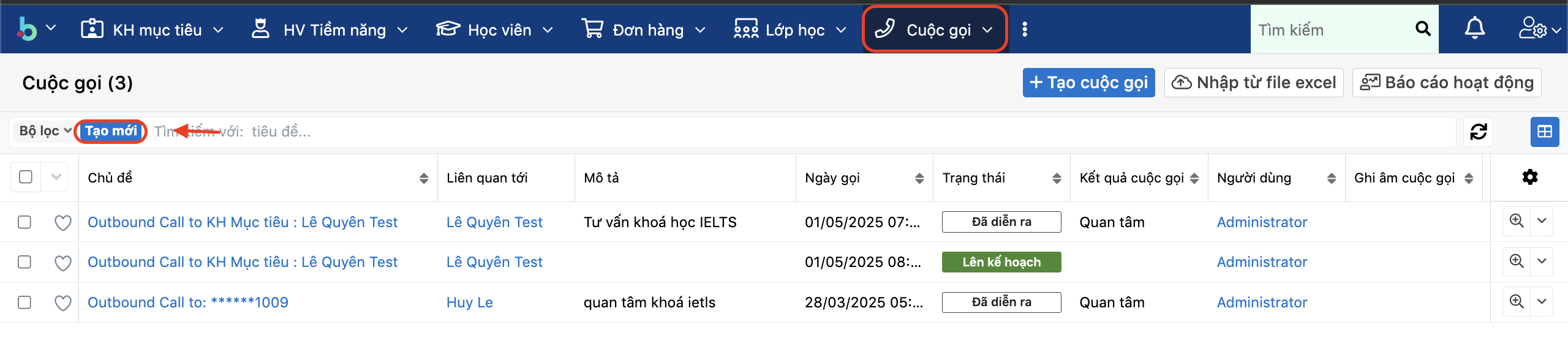
> Bước 1 : Truy cập vào tính năng cuộc gọi, chọn tạo mới bộ lọc như hình,
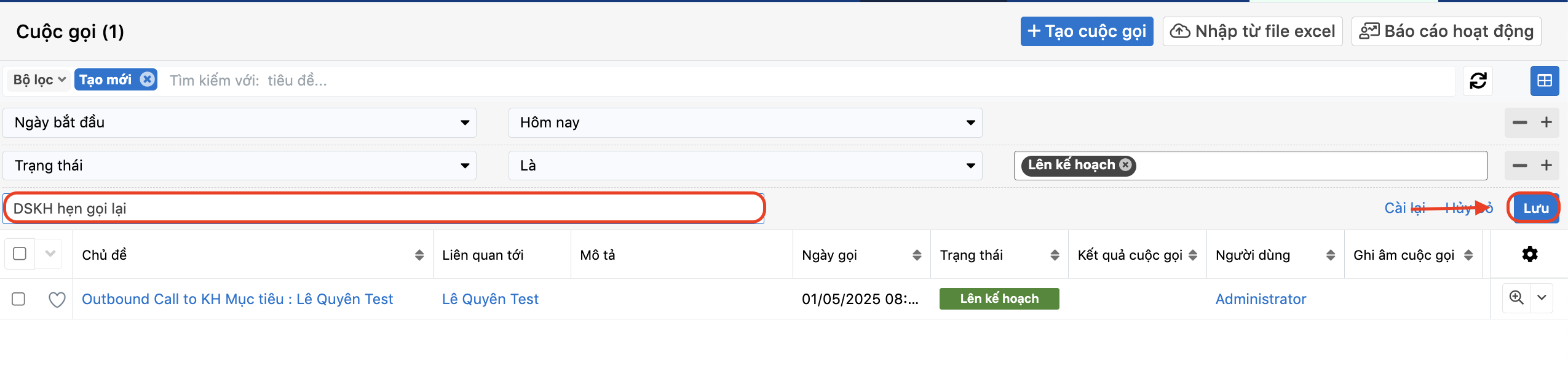
> Bước 2: Tại màn hình tạo mới bộ lọc, người dùng có thể kết hợp nhiều điều kiện lọc khác nhau, bấm chọn dấu (+) để thêm điều kiện lọc về Lịch hẹn gọi, kết quả cuộc goi, trạng thái va mục đích cuộc gọi tương ứng.
Ví dụ lọc danh sách khách hàng đã lên lịch hẹn gọi lại hôm nay hoặc ngày mai hoặc 1 khoản thời gian nào đó như hình bên dưới và đặt tên bộ lọc là Danh sách Khách hàng hẹn gọi lại (DSKH hẹn gọi lại)
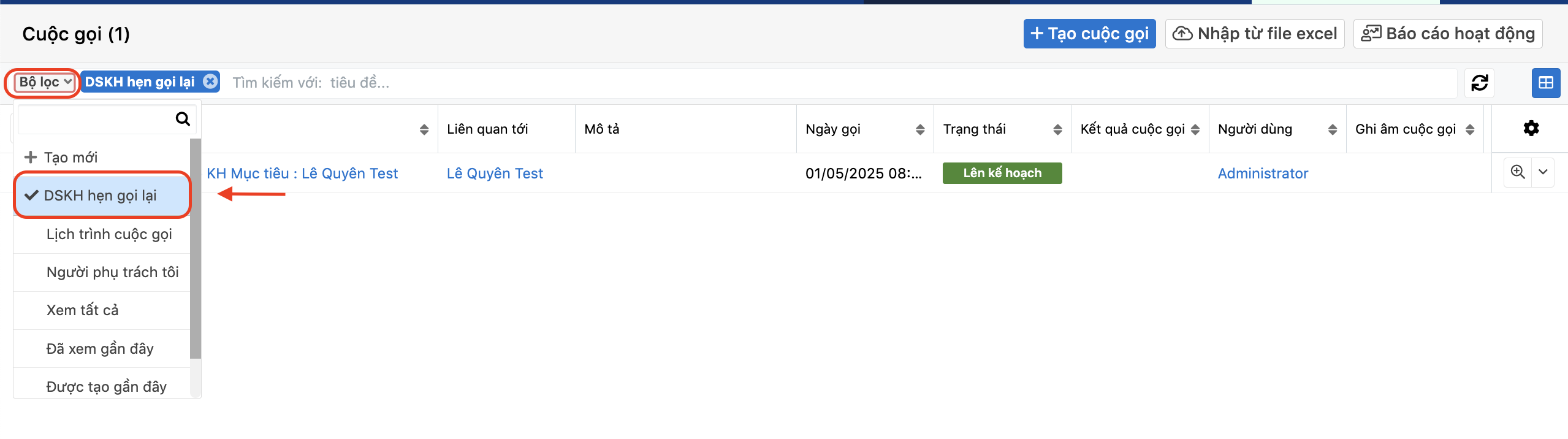
Ngoài ra người dùng có thể linh động tạo, chỉnh sửa bộ lọc cấ nhân hoá theo nhu cầu và có thể xem lại phần Bộ lọc của tính năng đang xem.
{% hint style="info" %}
**Lưu ý : Người dùng có thể bấm vào dấu (x) để tắt bộ lọc đang xem.**
{% endhint %}