> For the complete documentation index, see [llms.txt](https://ems.help.dotb.vn/llms.txt). Markdown versions of documentation pages are available by appending `.md` to page URLs; this page is available as [Markdown](https://ems.help.dotb.vn/dotb-ems/schooly-student-app/dang-nhap-ung-dung.md).
# Đăng nhập ứng dụng
Quý Phụ Huynh/Học viên/Giáo viên nhập thông tin trung tâm và tiến hành đăng nhập để xem thông tin Thời khoá biểu, tin tức...
> **Bước 1:** Tải ứng dụng Schooly :
:mobile\_phone:Đối với người dùng Android: [**>>tại đây<<**](< https://play.google.com/store/apps/details?id=schoolysea.edu.cloud>)\
:mobile\_phone:Đối với người dùng IOS: [**>>tại đây<<**](https://apps.apple.com/us/app/schooly/id6695745734)
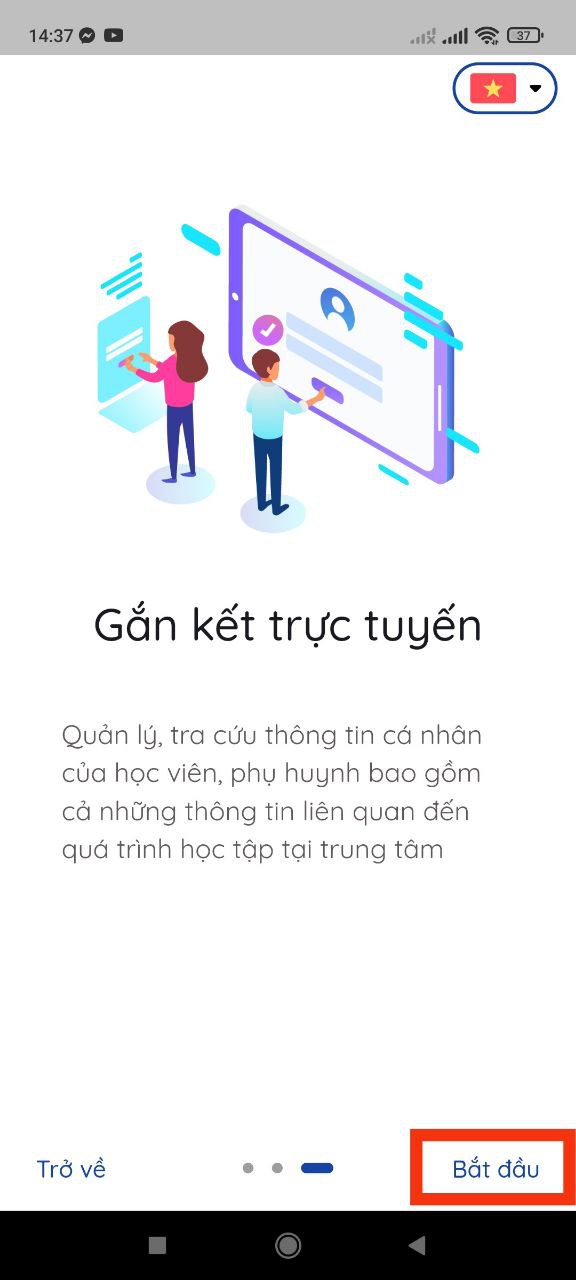
> **Bước 2:** Mở ứng dụng Schooly trên thiết bị và bấm Tiếp theo sau đó bấm **Bắt đầu**
> **Bước 3:** Nhập tên trung tâm:
> **Bước 4:** Nhập số điện thoại đã đăng ký với trung tâm và mật khẩu được cung cấp. Sau đó bấm **Đăng Nhập**
> **Bước 5:** Đăng nhập thành công, ứng dụng sẽ hiển thị màn hình **Trang chủ** như hình bên dưới: