> For the complete documentation index, see [llms.txt](https://ems.help.dotb.vn/llms.txt). Markdown versions of documentation pages are available by appending `.md` to page URLs; this page is available as [Markdown](https://ems.help.dotb.vn/dotb-ems/schooly-student-app/cai-dat-mat-khau-ung-dung.md).
# Cài đặt mật khẩu ứng dụng
Mật khẩu sẽ được reset lại mới khi Phụ Huynh lựa chọn chức năng này. Và lưu ý rằng mật khẩu khi thay đổi phải có ít nhất từ 6 đến 16 kí tự.
> **Bước 1:** Tại màn hình **Trang chủ**, click vào icon **avatar** để hiển thị danh sách chức năng của ứng dụng.
> **Bước 2:** Chọn chức năng **Cài đặt** trên ứng dụng.
> **Bước 3:** Tiếp theo, chọn chức năng **Đổi mật khẩu.**
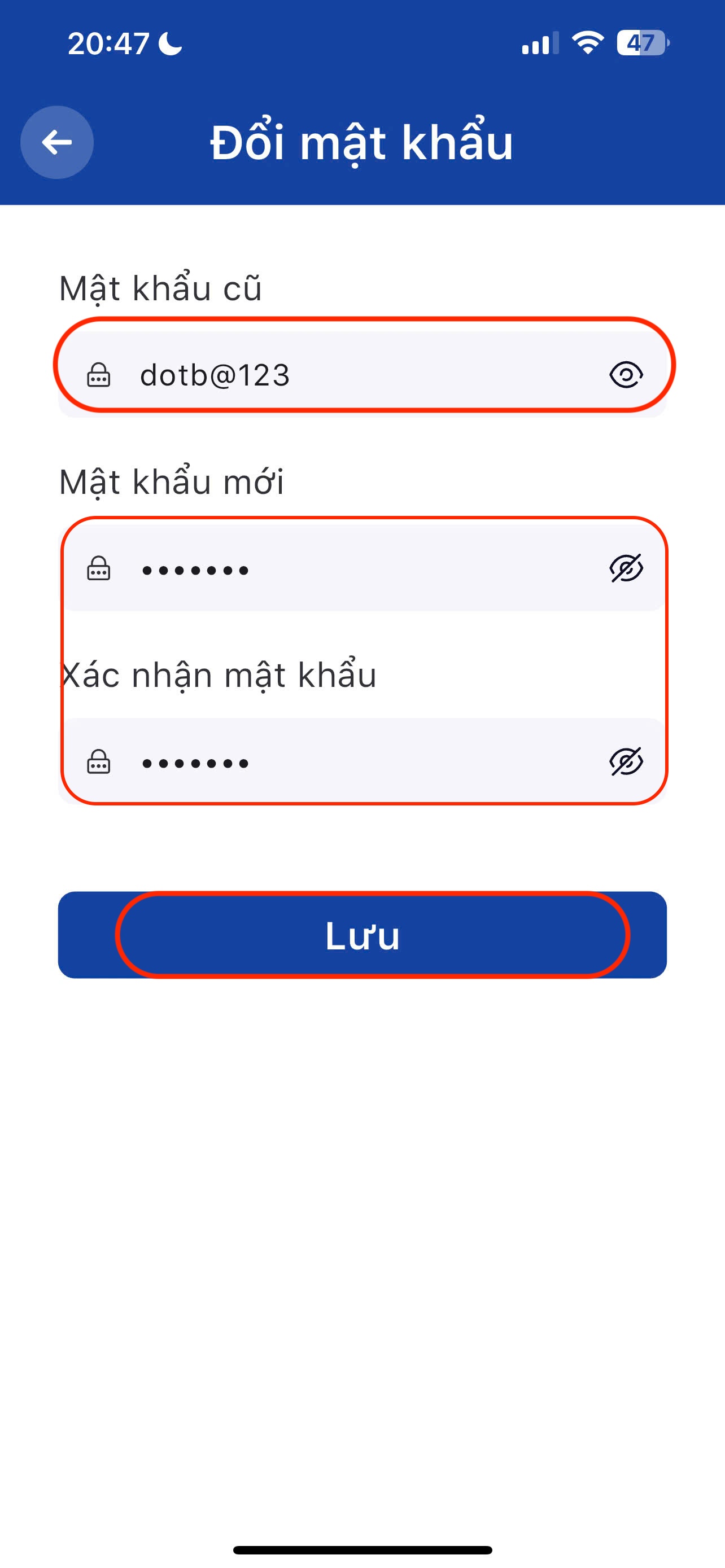
> **Bước 4:** Ứng dụng sẽ hiển thị giao diện như trên màn hình. Người dùng nhập đầy đủ thông tin để tiến hành đổi mật khẩu. Cuối cùng bấm vào nút **Lưu** để hệ thống cập nhật mật khẩu mới
{% hint style="info" %}
**Ghi chú:**
Phụ Huynh/Học viên có thể bấm vào icon con mắt để hiện thị thông tin Mật khẩu đang nhập
* **Mật khẩu mới** phải từ 6 ký tự trở lên.
* **Mật khẩu mới** và **Xác nhận mật khẩu** phải khớp với nhau.
{% endhint %}