# Target Lists

> **Bước 1:** Ở màn hình danh sách của module **Target Lists** chọn **Create Target List** để mở ra màn hình tạo mới Target List.

<figure><img src="https://www.gitbook.com/cdn-cgi/image/dpr=2,width=760,onerror=redirect,format=auto/https%3A%2F%2Fcontent.gitbook.com%2Fcontent%2FMf89DtwIRXG2RZ3CFu7Z%2Fblobs%2FS86vwrWUctqLvMZfJdlS%2Fimage.png" alt=""><figcaption></figcaption></figure>

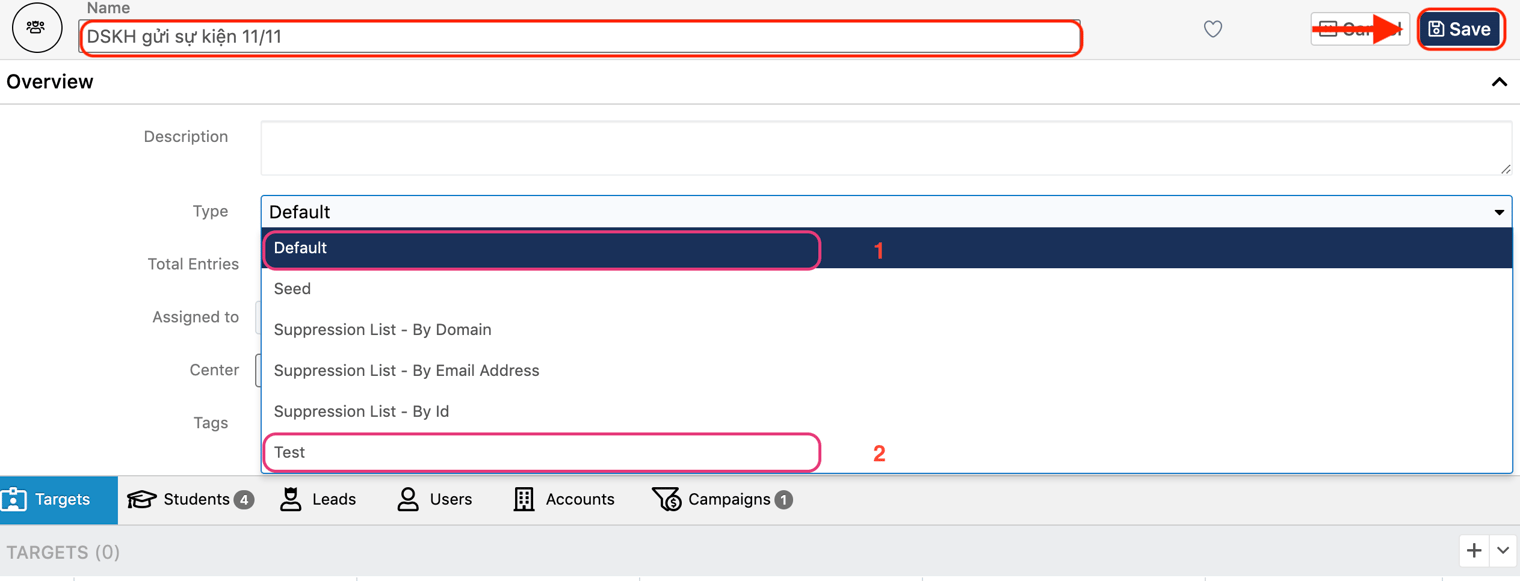
> **Bước 2:** Tại màn hình tạo mới **Target Lists**, nhập đầy đủ các thông tin cần thiết và chọn **Type** tương ứng với tệp Khách hàng cần gửi. Sau đó chọn **Save** để hoàn tất việc tạo ra 1 danh sách Target mới.

<figure><img src="https://www.gitbook.com/cdn-cgi/image/dpr=2,width=760,onerror=redirect,format=auto/https%3A%2F%2Fcontent.gitbook.com%2Fcontent%2FMf89DtwIRXG2RZ3CFu7Z%2Fblobs%2FN18PkaN9jTMaxhVyY3pY%2FScreenshot%25202023-12-19%2520at%25207.17.10%2520PM.png" alt=""><figcaption></figcaption></figure>

{% hint style="info" %}
**Lưu ý :**

1: Tệp DSKH chính thức cần gửi email

2: Tệp DSKH gửi test email
{% endhint %}

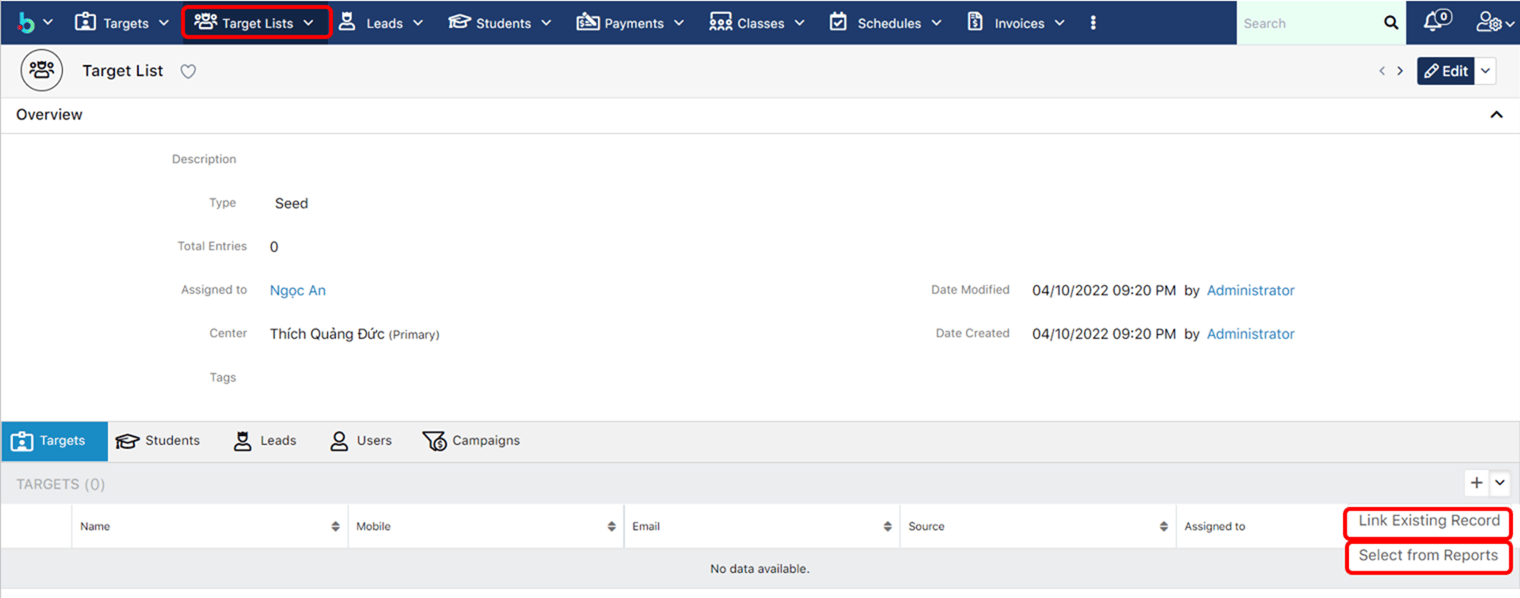
> **Bước 3:** Hệ thống hiển thị thông tin chi tiết của **Target Lists** được tạo. Sau đó chọn **Link Existing Report** hoặc **Select from Reports** để import khách hàng vào Target List.

<figure><img src="https://www.gitbook.com/cdn-cgi/image/dpr=2,width=760,onerror=redirect,format=auto/https%3A%2F%2Fcontent.gitbook.com%2Fcontent%2FMf89DtwIRXG2RZ3CFu7Z%2Fblobs%2FWDDHWcOCsoLe8UVEK7PF%2Fimage.png" alt=""><figcaption></figcaption></figure>

​&#x20;

{% hint style="info" %}
**Ghi chú**:

1. Link Existing Record: Link tới khách hàng (Targets/Leads/Students)
2. Select from Reports: Chọn từ báo cáo
   {% endhint %}

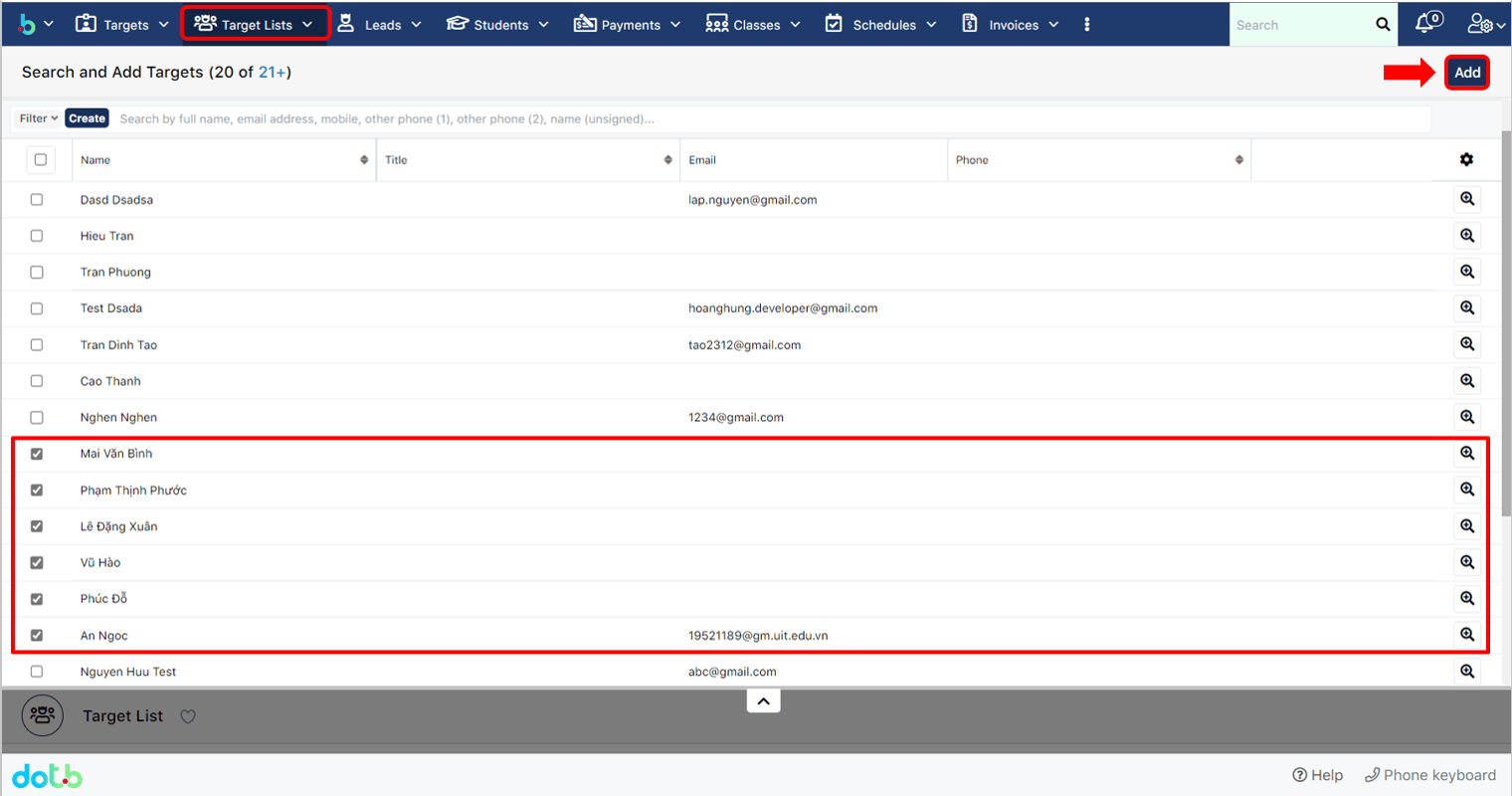
> **Bước 4:** Chúng ta chọn **Link Existing Record**, hệ thống sẽ chuyển qua màn hình bên dưới, sau đó chọn khách hàng tiềm năng cho danh sách mới tạo (Target Lists), cuối cùng nhất Add.

<figure><img src="https://www.gitbook.com/cdn-cgi/image/dpr=2,width=760,onerror=redirect,format=auto/https%3A%2F%2Fcontent.gitbook.com%2Fcontent%2FMf89DtwIRXG2RZ3CFu7Z%2Fblobs%2Fh0A6BDT7HGd8RqreZcbs%2Fimage.png" alt=""><figcaption></figcaption></figure>

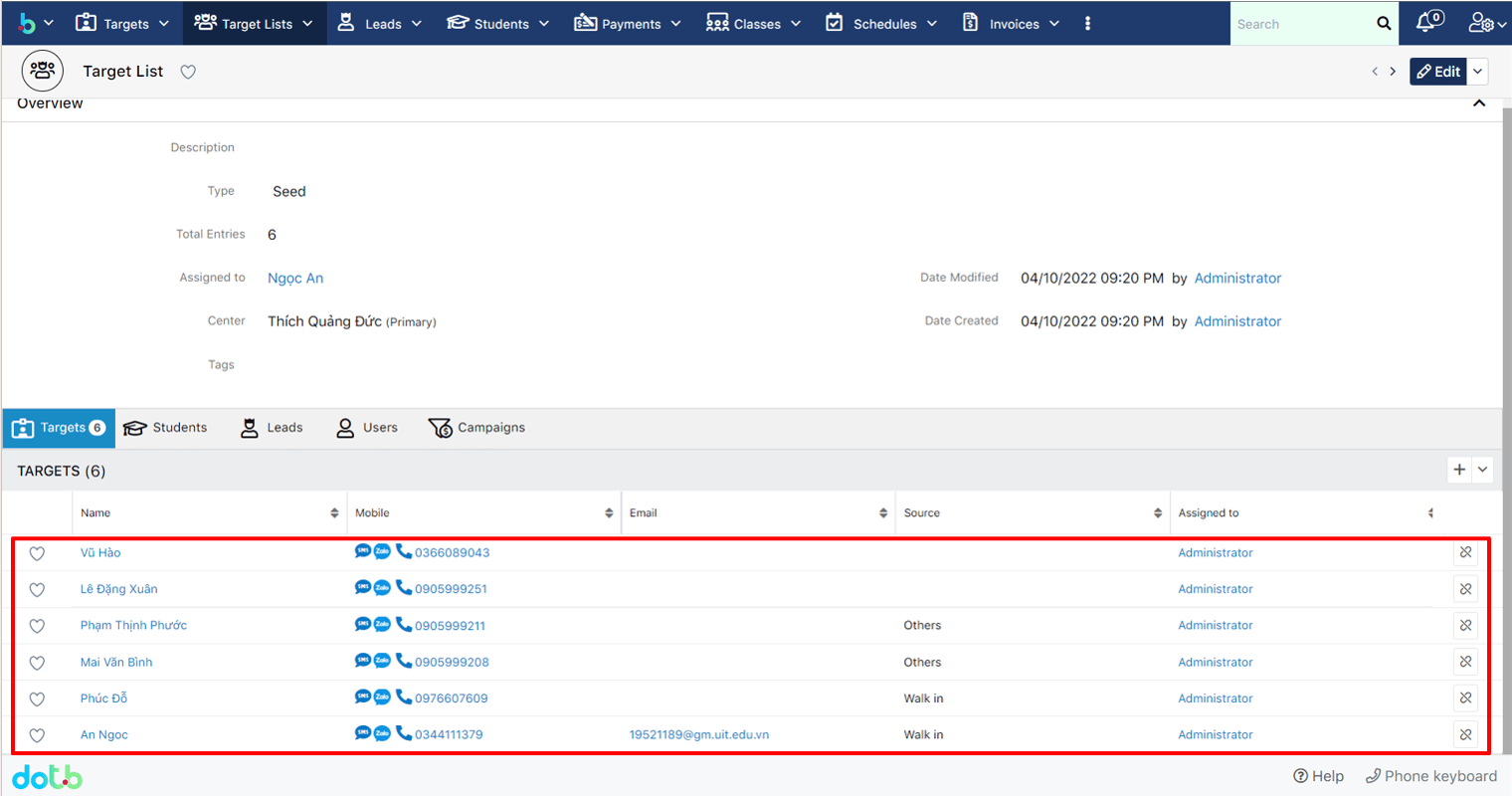
> **Bước 5:** Hệ thống hiển thị thông tin chi tiết của Target Lists được import vào hệ thống.

<figure><img src="https://www.gitbook.com/cdn-cgi/image/dpr=2,width=760,onerror=redirect,format=auto/https%3A%2F%2Fcontent.gitbook.com%2Fcontent%2FMf89DtwIRXG2RZ3CFu7Z%2Fblobs%2FLNmgypQpLrYzfmMB6g0n%2Fimage.png" alt=""><figcaption></figcaption></figure>


---

# Agent Instructions: Querying This Documentation

If you need additional information that is not directly available in this page, you can query the documentation dynamically by asking a question.

Perform an HTTP GET request on the current page URL with the `ask` query parameter:

```
GET https://ems.help.dotb.vn/dotb-ems/nhom-tinh-nang-tiep-thi/target-lists.md?ask=<question>
```

The question should be specific, self-contained, and written in natural language.
The response will contain a direct answer to the question and relevant excerpts and sources from the documentation.

Use this mechanism when the answer is not explicitly present in the current page, you need clarification or additional context, or you want to retrieve related documentation sections.