# Cập nhật hồ sơ học viên, mật khẩu

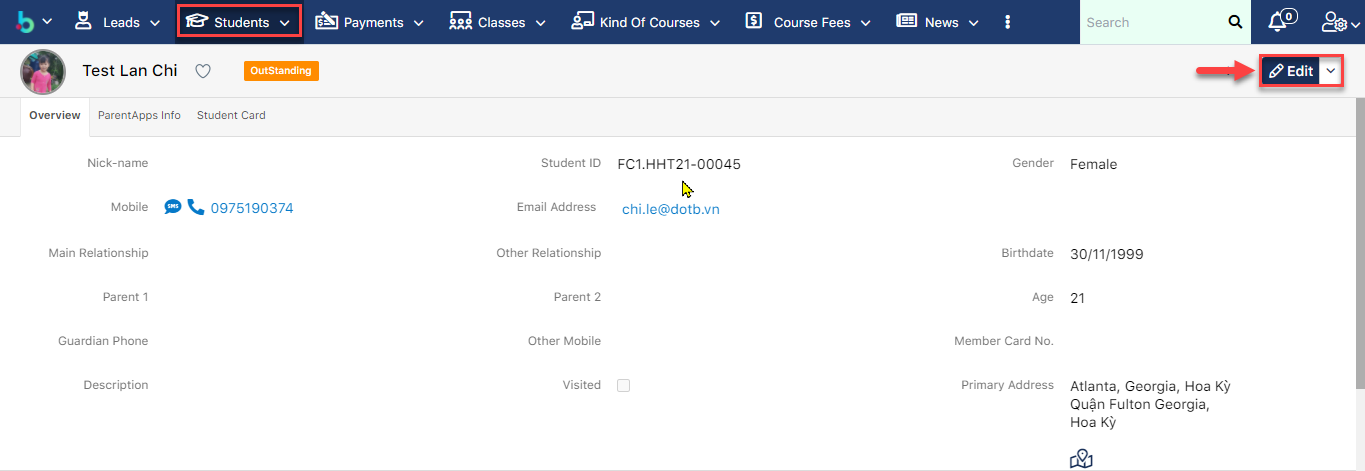
> **Bước 1:** Vào Profile học viên, chọn Edit

<figure><img src="https://files.gitbook.com/v0/b/gitbook-legacy-files/o/assets%2F-LrHReb9JsrFo3TW8d7S%2F-MdS3Oi3zt2UdNBFkjC2%2F-MdS5rc02OEOFY-Vt7jz%2F1.png?alt=media&#x26;token=6e91ea12-b0cb-4b9f-8dfa-46b239a41055" alt=""><figcaption></figcaption></figure>

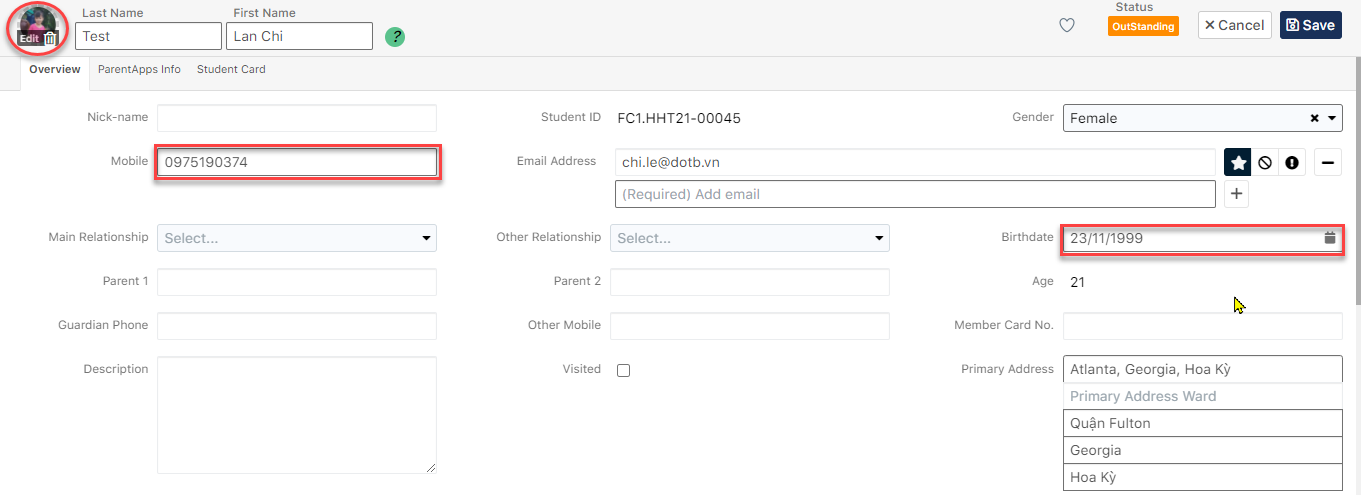
> **Bước 2:** Sau đó upload ảnh đại diện của học viên lên, cập nhật thông tin ngày sinh hoặc số điện thoại (Nếu có).

<figure><img src="https://files.gitbook.com/v0/b/gitbook-legacy-files/o/assets%2F-LrHReb9JsrFo3TW8d7S%2F-MdS3Oi3zt2UdNBFkjC2%2F-MdSANFD63d5TehJBv02%2F2.png?alt=media&#x26;token=f969d3e6-0942-4718-bb0d-71c685e9ccdb" alt=""><figcaption></figcaption></figure>

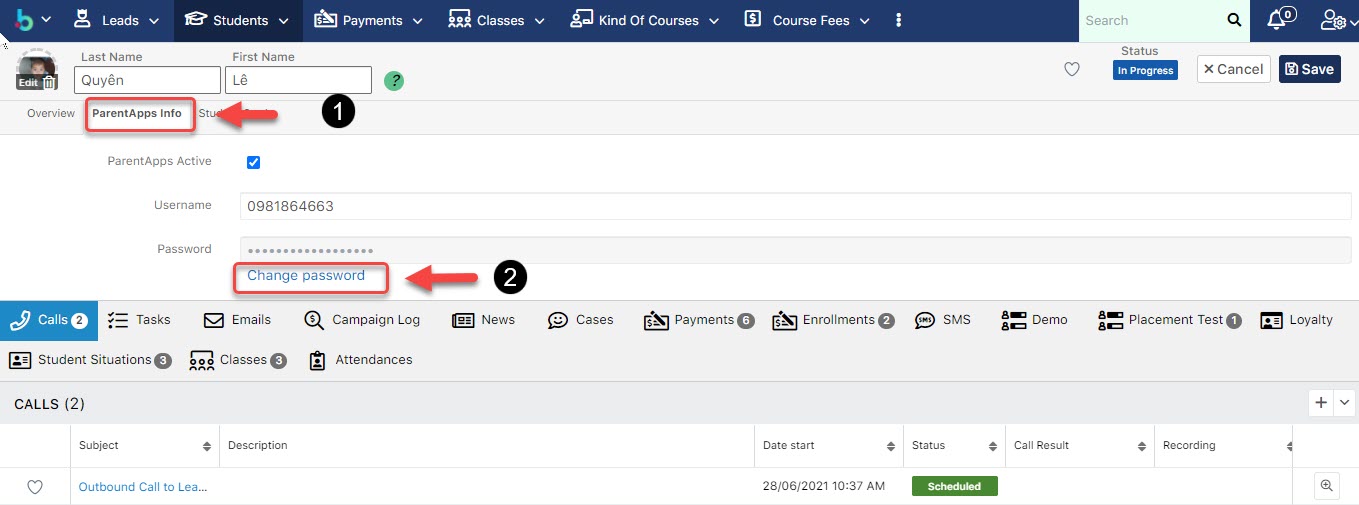
> **Bước 3:** Nhấn vào tab **ParentApp Info** , sau đó chọn vào chữ **Change Password**, nhập Password để chỉnh sữa lại mật khẩu học viên (Nếu học viên quên mật khẩu).Cuối cùng chọn Save.
<figure><img src="https://files.gitbook.com/v0/b/gitbook-legacy-files/o/assets%2F-LrHReb9JsrFo3TW8d7S%2F-MeO1VBpe99ZuMDo4drL%2F-MeO2MFSZA3i8_-BdWcb%2F1.jpg?alt=media&#x26;token=8d9a0640-0b4a-4c2a-b2a0-d0c78d28609f" alt=""><figcaption></figcaption></figure>


---

# Agent Instructions: Querying This Documentation

If you need additional information that is not directly available in this page, you can query the documentation dynamically by asking a question.

Perform an HTTP GET request on the current page URL with the `ask` query parameter:

```
GET https://ems.help.dotb.vn/dotb-ems/ems-dong-bo-schooly-app/cap-nhat-ho-so-hoc-vien-mat-khau.md?ask=<question>
```

The question should be specific, self-contained, and written in natural language.
The response will contain a direct answer to the question and relevant excerpts and sources from the documentation.

Use this mechanism when the answer is not explicitly present in the current page, you need clarification or additional context, or you want to retrieve related documentation sections.